Roll Call & Attendance
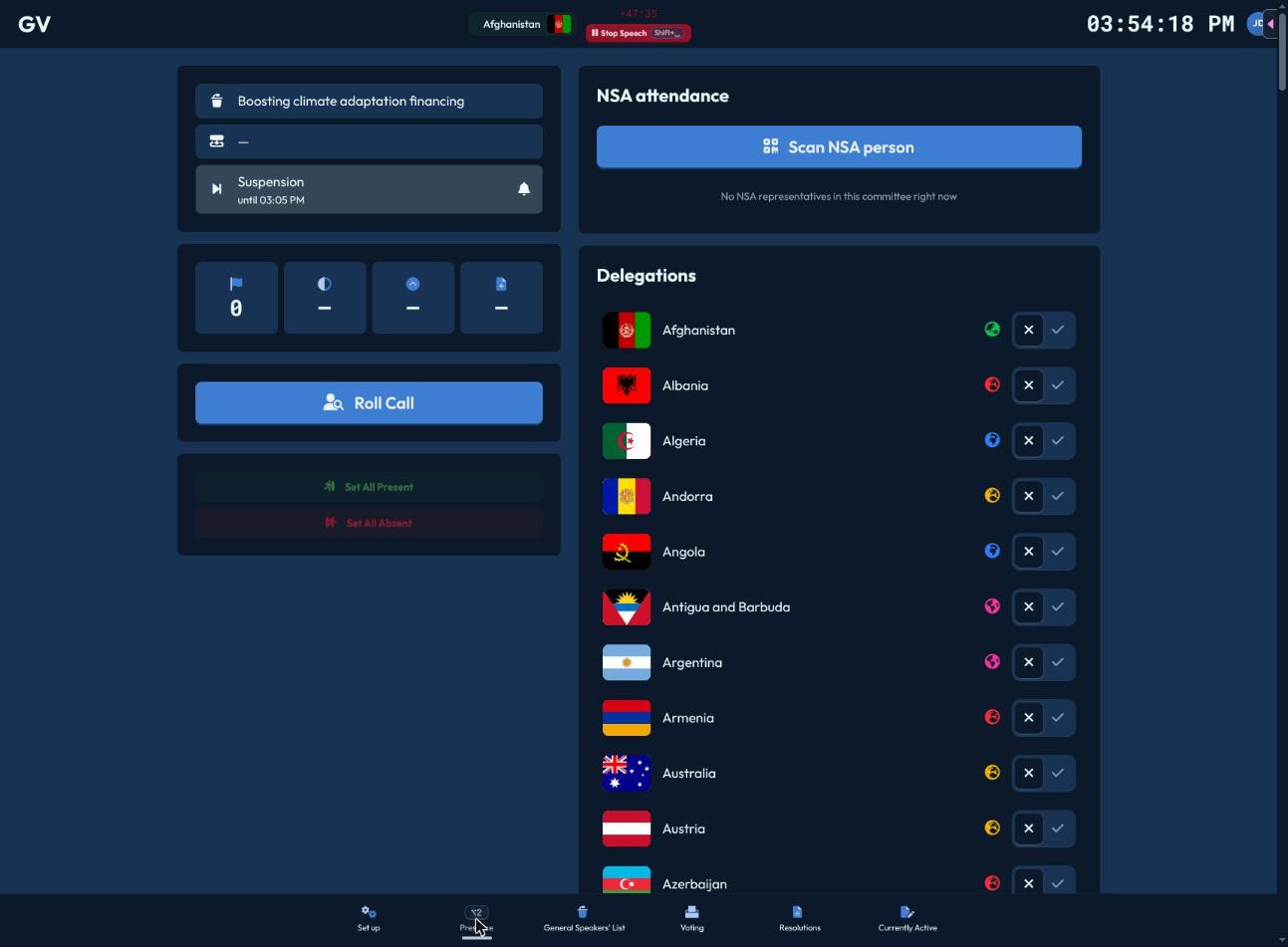
The Presence page (Alt+2) is where you track who's in the room.
Roll call
Click "Roll Call" (or "Resume Roll Call" if one's already in progress elsewhere) to open a full-screen, one-at-a-time walkthrough of every delegation:
- Present (✓,
L) or Absent (✕,J) — marking either auto-advances to the next delegation. - Navigate manually with the up/down arrows (or ↑/↓ keys) if you need to jump around.
- Finishing the last delegation shows a "Roll call completed" confirmation and closes automatically.
Every roll call you run is logged — a "Past roll calls" list on the Presence page shows when each one happened, who ran it, and the present/total count.
Quick presence toggles
Delegations and UN Actors are listed with a Present/Absent toggle on each row — useful for correcting a single entry without starting a whole new roll call. "Set All Present" / "Set All Absent" bulk buttons are also available.
Why presence matters
Marking someone present isn't just bookkeeping — it directly gates whether they can add themselves to a speakers list, and it feeds the live majority calculations shown throughout the chair interface.
Non-State Actor badge scanning
Click "Scan NSA Person" to open the scanner drawer:
- Choose Check in or Check out.
- Scan their printed QR badge with your camera, or type their 6-character code manually if scanning fails.
- A running log shows the last 10 scans — green with a name for success, red for an error — plus an audio cue (a high beep for success, a low one for an error).
Everyone currently checked into your committee is listed below the scanner, with a "checked in since HH:MM" timestamp.
Conference-wide attendance dashboard
A separate top-level Attendance view (outside any single committee) gives a conference-wide picture, useful for Secretariat/organizers as well as chairs:
- By Committee — presence counts and live NSA check-ins per committee, flagging anyone checked in for more than 4 hours without a checkout (a likely forgotten badge scan).
- Not Checked In — NSAs not currently checked in anywhere, and absent delegates grouped by committee.
- History & Corrections — the full presence-event log conference-wide, with filters and an "Add entry" button plus a per-row edit button for corrections.
- Statistics & Downloads — summary stats, presence charts, and an "Export Attendance Data" button producing a JSON file formatted for import into MUNify DELEGATOR.
- A print view is available for a paper record of presence data.