Agenda & State of Debate
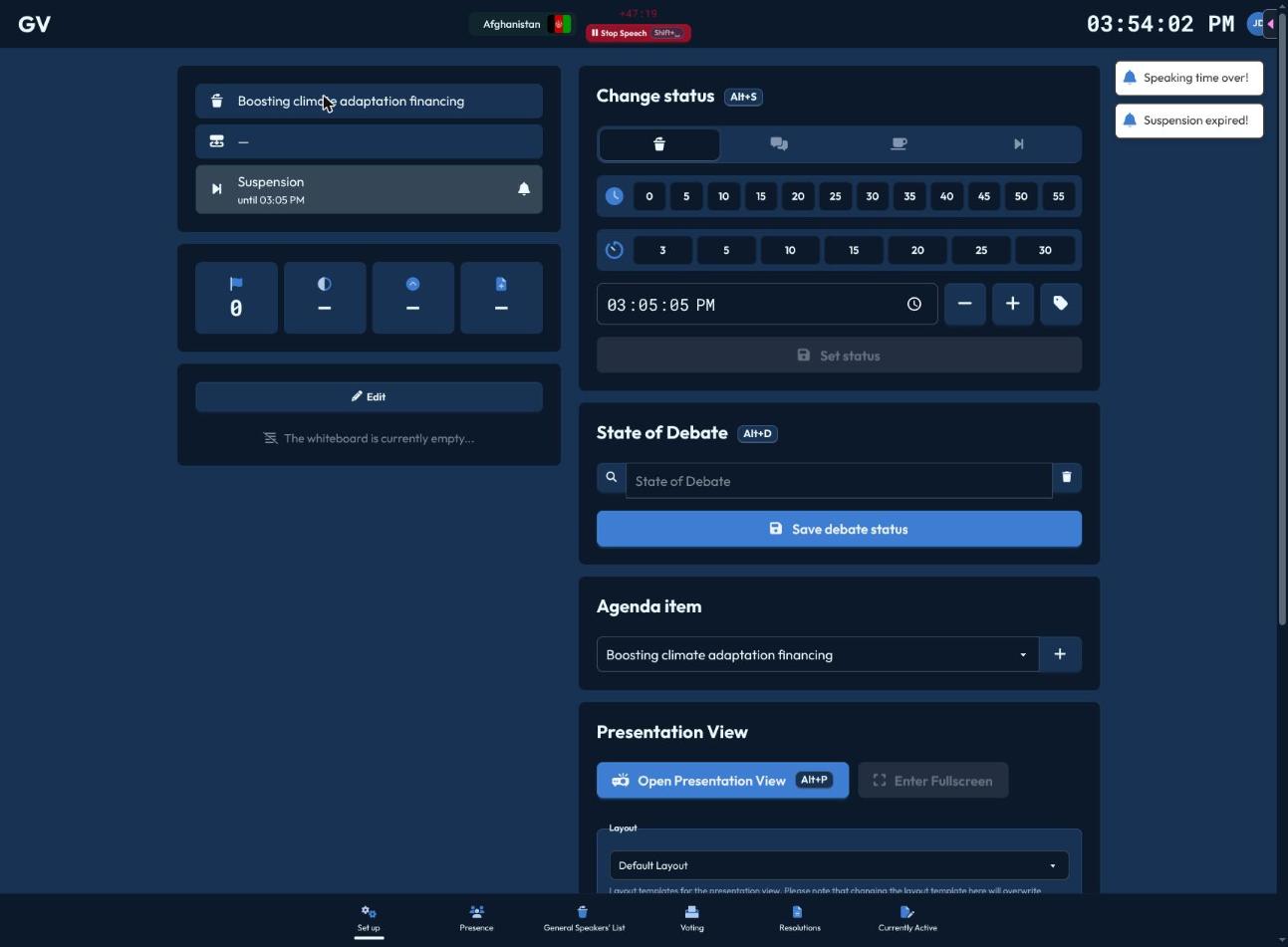
CHASE tracks three independent things about where your committee is right now — don't confuse them, since they're set separately and shown together on your Status Widget.
Agenda Item
A simple dropdown of every agenda item on your committee's agenda, plus a + button to add a new one (just type its title). Switching the active agenda item is instant and drives which speakers list, resolutions, and votes are currently "the" active ones.
Status
The committee's formal status — reachable via Alt+S from anywhere, or inline on the Setup page. Choose from:
- Formal Debate — the general speakers list is running.
- Informal Caucus (unmoderated) — free negotiation time, no active speakers list.
- Moderated Informal Caucus — a structured discussion, if your conference has this status enabled.
- Pause — a brief hold.
- Suspension — the session is paused (e.g. a break).
For each, you can set an end time using quick-pick grids ("at minute :05, :10, :15..." or "in 5, 10, 15 minutes...") or a manual HH:MM:SS field, and optionally override the displayed name with a custom headline. Click "Save debate status" to apply — CHASE won't let you pick a time already in the past.
State of Debate
A free-text label describing what's actually being discussed right now (e.g. "General debate", "Debate on the draft resolutions", "Vote on each operative paragraph") — separate from Status. A searchable box offers common presets, but you can type anything. Save with "Save debate status", or clear it with the trash icon.
Status tells the room what mode you're in; State of Debate tells them what topic that mode is about. Set both so participants' dashboards and the projector both make sense at a glance.