AI Assistance
CHASE can optionally use AI to help with resolution work. As a chair, you'll run into it in two places:
- After accepting an amendment, if it affects clauses other pending amendments also target, CHASE can flag which of those are now likely obsolete, and suggest rewrites to reconcile the survivors with the newly changed text.
- In the amendment queue, an optional AI-powered ranking can sort pending text-change amendments by how significant their impact looks.
The first time you touch an AI-powered feature, you'll see an onboarding prompt to choose how it runs:
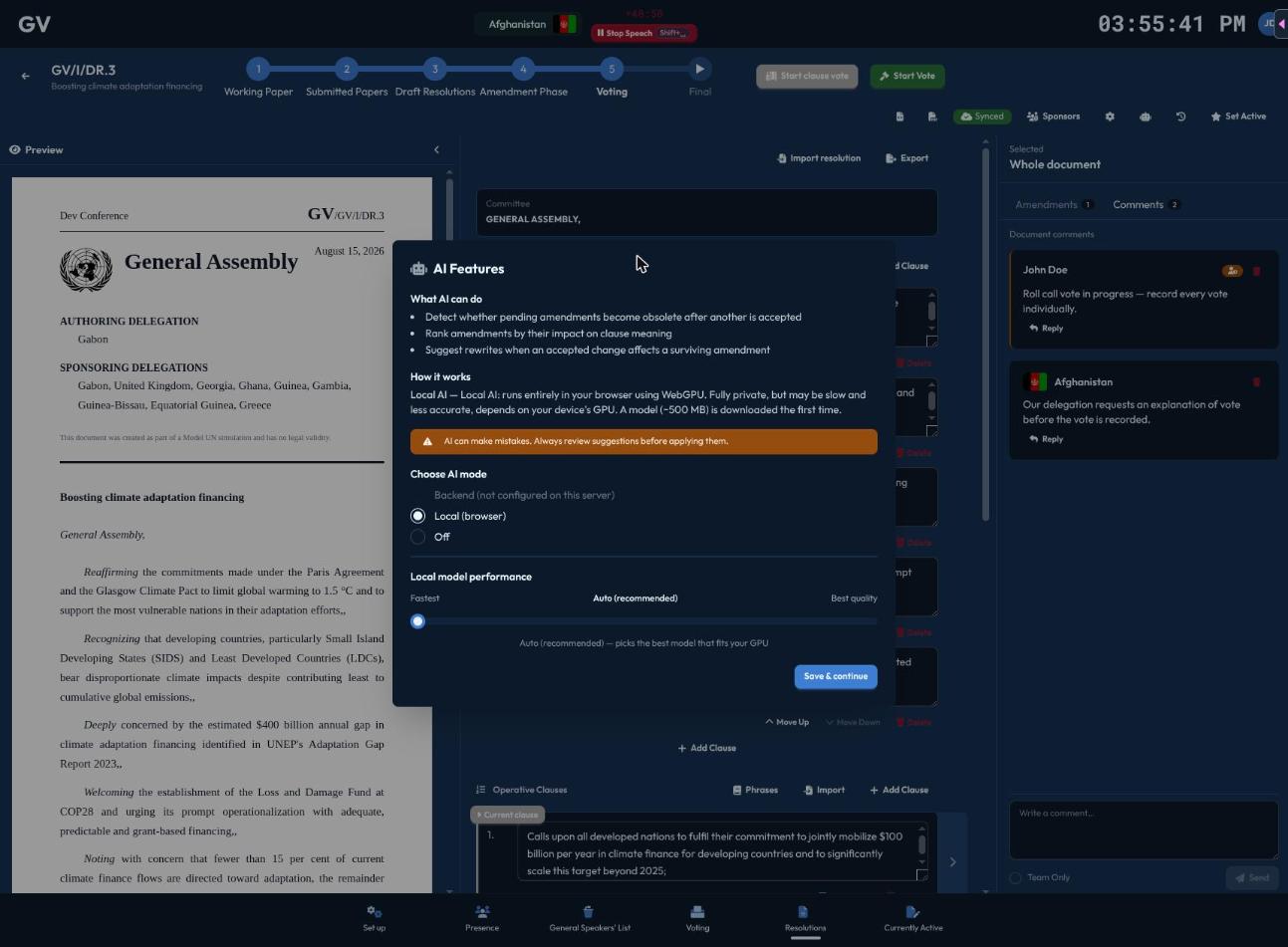
Important: this is a personal setting, not a conference setting
Delegates don't use AI features at all — these are chair-only tools for reviewing amendments. There is no conference- or committee-wide switch to turn them on or off; each chair sets their own AI preference (backend-assisted, fully local/offline, or off) the first time they encounter an AI-powered feature, and it's remembered on their own device from then on. If you want AI assistance during amendment review, make sure you personally have it enabled.
If your conference wants AI features disabled organization-wide, that isn't something you can configure from within CHASE today — raise it with your conference's technical organizers.