Working Papers & Resolutions — Basics
If your committee has the resolutions feature enabled, you'll see a Resolutions card on your dashboard linking to your committee's papers. This section covers the lifecycle and how papers are organized; see Writing & Editing Resolutions for how to actually draft one.
The lifecycle
A paper moves through these stages, in order:
- Working Paper — a draft, editable only by its creator and anyone they've added as a co-editor.
- Submitted — locked from further editing and visible to the whole committee; other delegates can now sponsor it.
- Draft Resolution — promoted by the chair once ready to be formally worked on as a resolution, gets a document number.
- Amendment Phase — the chair opens this phase so delegates can propose and sponsor amendments clause by clause.
- Voting — each operative clause is voted on individually.
- Final — the finished resolution; never editable again, whatever the outcome.
Phase changes (submitting, entering the amendment phase, entering voting) are chair actions — you'll simply see the paper move to its next stage on its own.
Finding papers
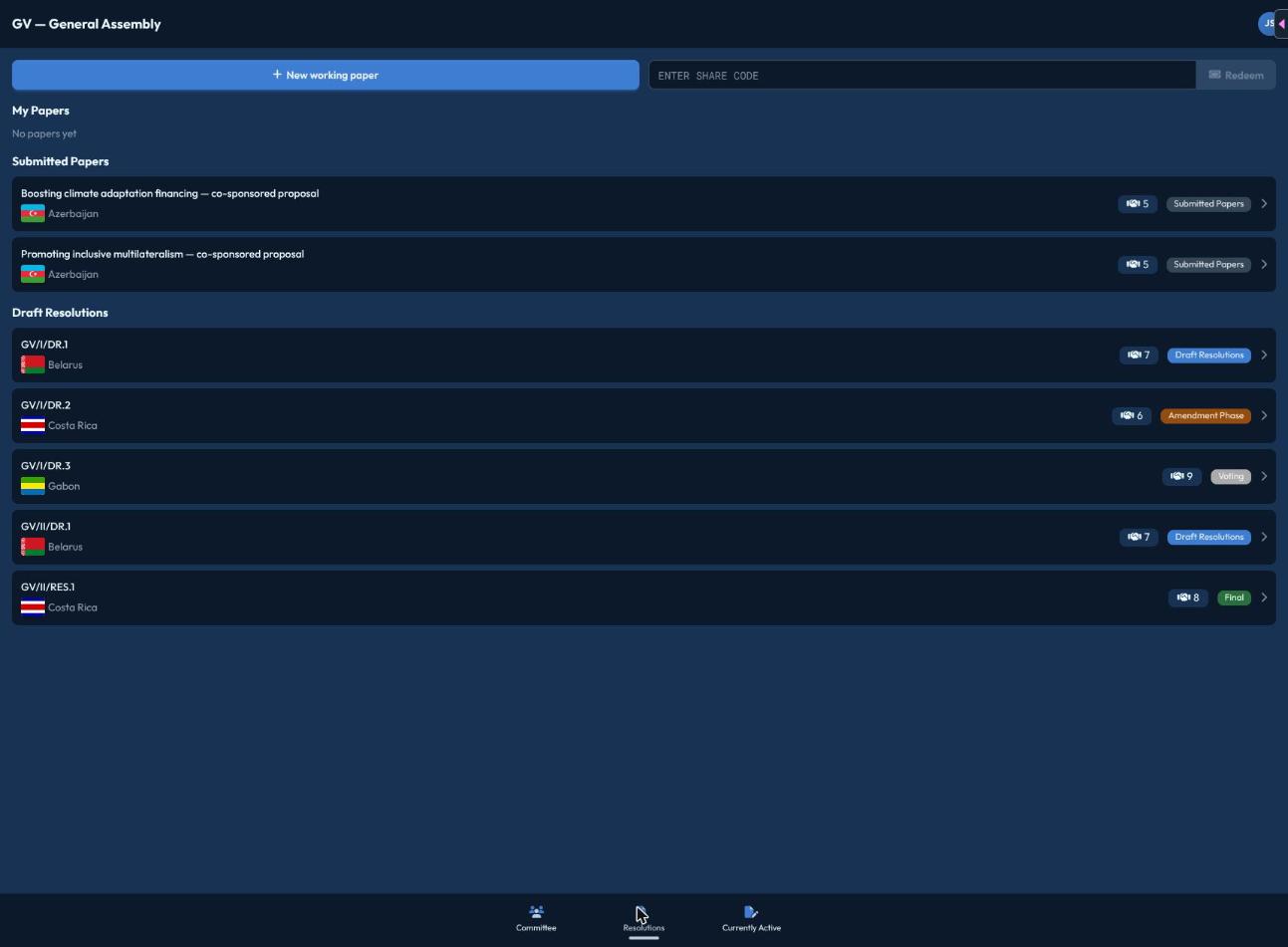
Your committee's papers list is split into three sections:
- My Papers — working papers you created or are a co-editor on.
- Submitted Papers — papers the whole committee can see, each showing how many sponsors it has.
- Draft Resolutions — papers that have advanced to draft-resolution status or beyond, shown with their document number.
Click into any paper to read it; whether you can edit it depends on its current stage and your relationship to it (creator, co-editor, or just a reader).
Next steps
- Writing & Editing Resolutions — creating a working paper and using the editor
- Sponsorship & Share Codes — backing a paper and inviting collaborators
- Amendments — proposing changes once the amendment phase opens