Amendments
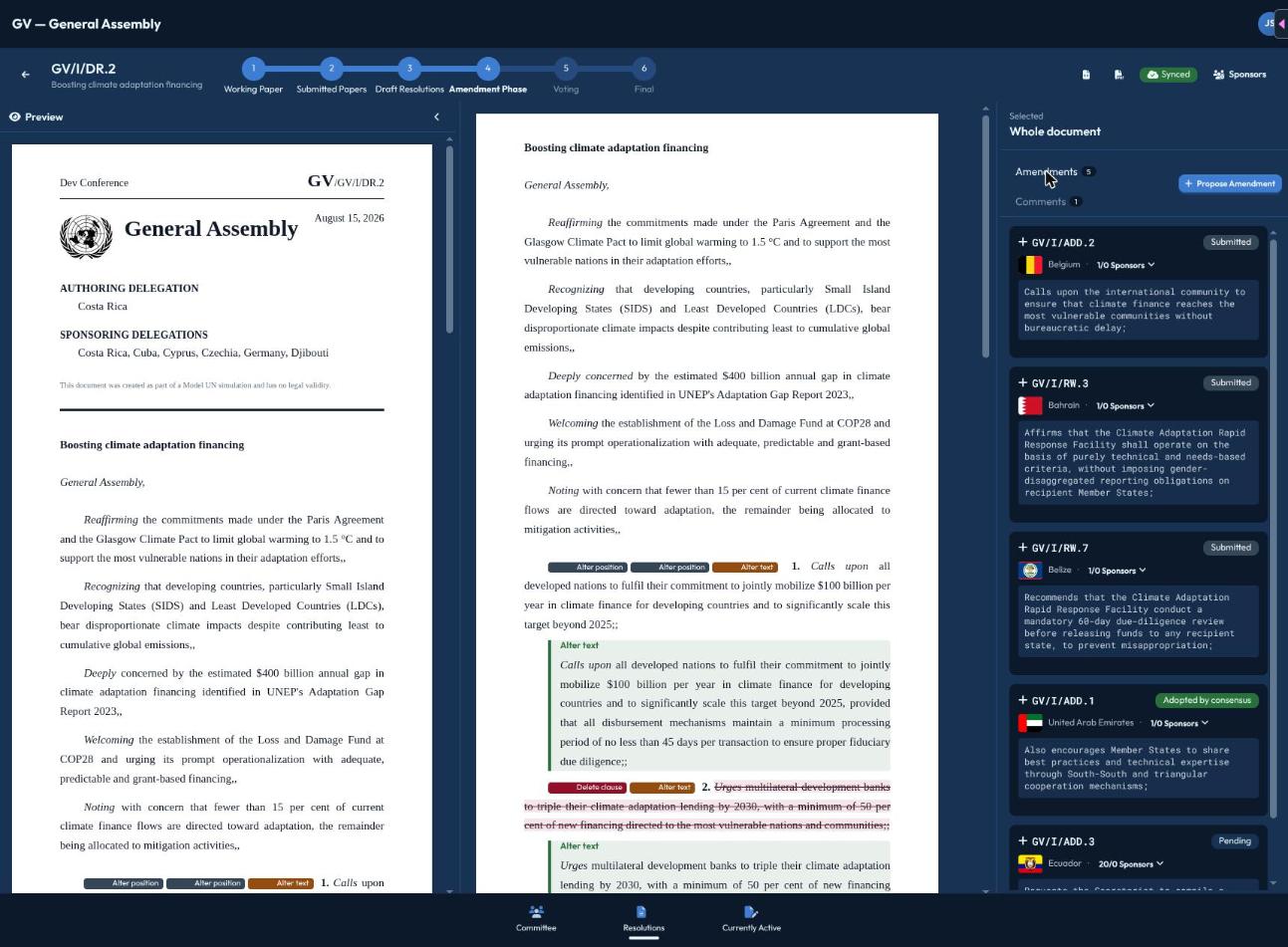
Once the chair opens the Amendment Phase on a draft resolution, delegates can propose changes to individual operative clauses.
Proposing an amendment
Select the clause you want to change (or, if you're adding a brand-new clause, just start the amendment flow) and choose a type:
- Change text — rewrite the clause's wording (the default option). You'll see a live diff comparing your proposed text to the original as you write.
- Delete clause — propose removing the clause entirely.
- Add clause — propose a brand-new clause; you'll pick where it should go ("Insert at beginning" or "Insert after clause N").
- Move — propose relocating an existing clause to a different position.
Fill in the details for your chosen type and click Propose Amendment. You're automatically recorded as the proposer.
Sponsoring an amendment
Other delegates can back an amendment you've proposed by clicking Sponsor on it — this is only available while the chair has sponsoring open, and not on amendments that have been rejected or withdrawn.
An amendment needs support from at least 10% of currently-present committee members (proposer plus sponsors) before it's counted as ready for the chair to bring up for discussion — you'll see how many sponsors an amendment has relative to that threshold as it collects support. Getting a friend or two to sponsor your proposal, not just yourself, is often what pushes it over that line.
Withdrawing
If you change your mind, you can withdraw your own amendment (as long as it hasn't already been decided) from the same panel where you proposed it.