Committees & Delegations
Committees
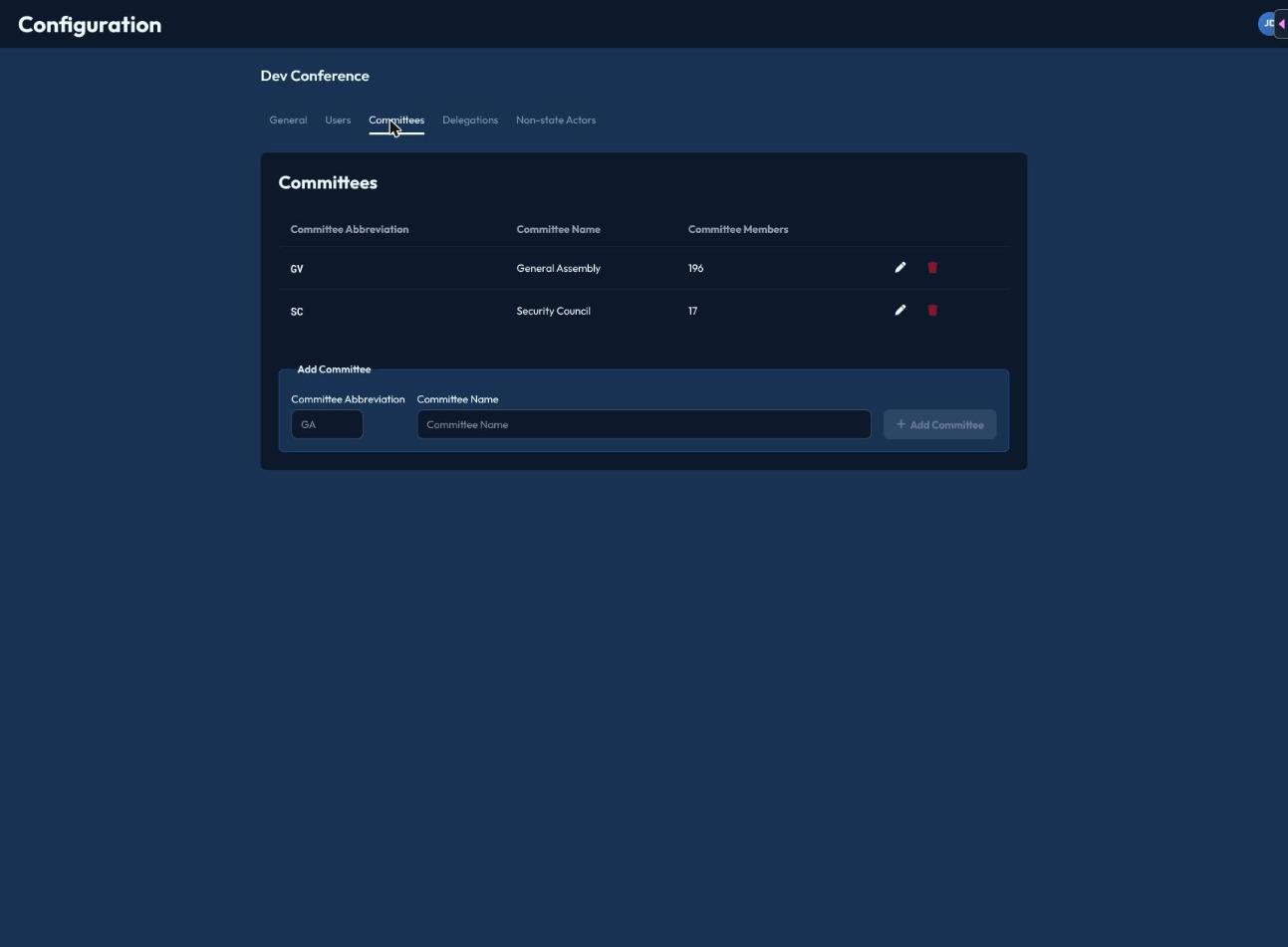
The Committees tab lists every committee with its abbreviation, name, and member count. To add one, fill in Committee Abbreviation (e.g. "GA") and Committee Name, then click Add Committee. Existing committees can be edited inline (pencil icon) or deleted (trash icon, asks for confirmation).
Delegations
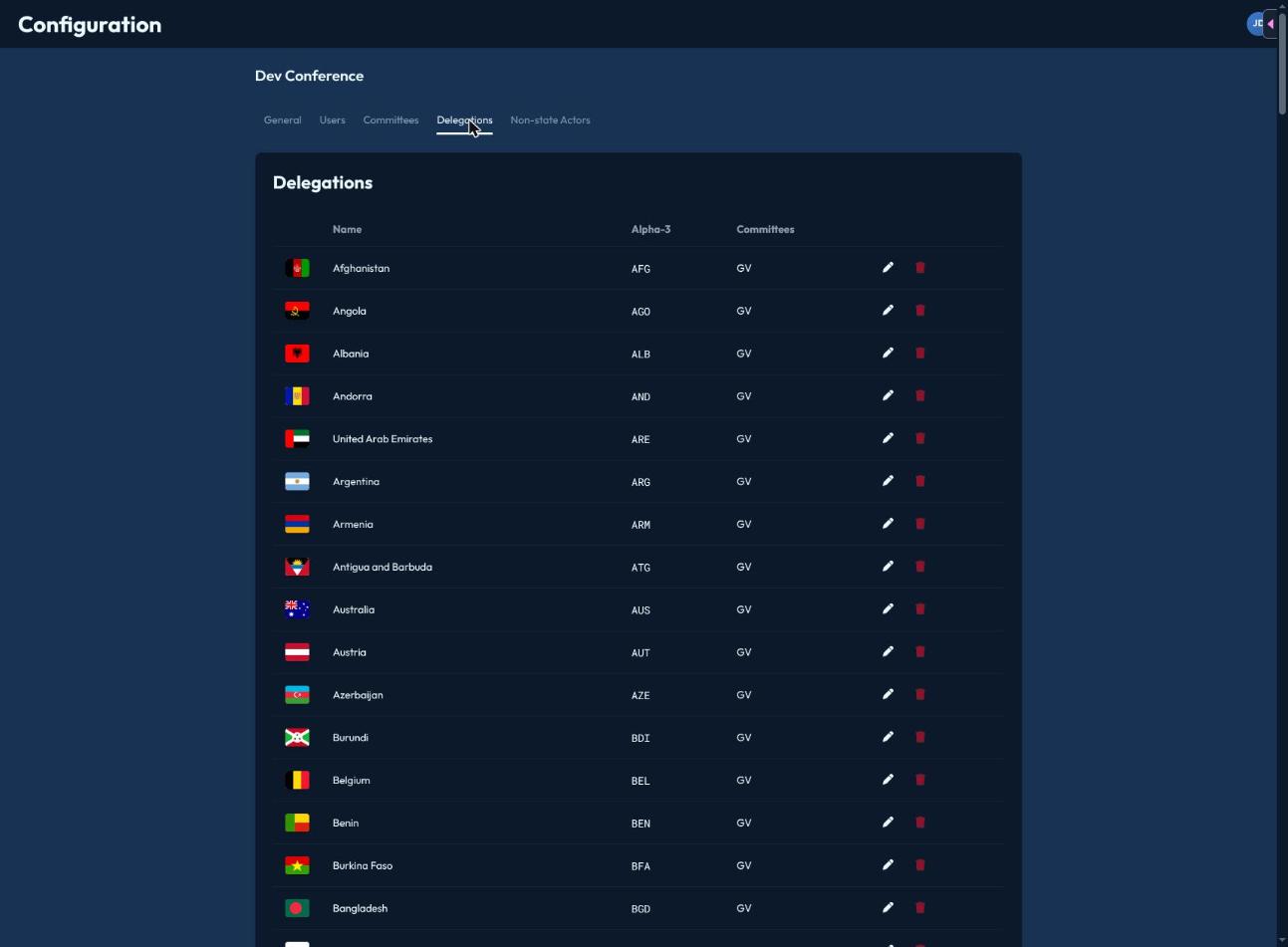
The Delegations tab lists every delegation (country) with its flag, name, alpha-3 code, and which committees it currently sits in.
Adding delegations
Click Add Representation to open the bulk-add dialog: paste any mix of alpha-2 or alpha-3 country codes (space, comma, or newline separated) and CHASE parses them against the full list of UN member states, showing you a preview of recognized countries and flagging anything it couldn't match. Confirm to add all recognized countries at once.
Assigning delegations to committees
Click the pencil icon on a delegation to open its edit dialog — a checklist of every committee in the conference. Check or uncheck committees to add or remove that delegation's seat, then Save.
Regional group (Africa, Asia-Pacific, Eastern Europe, Latin America & Caribbean, Western Europe & Others) is derived automatically from each country's UN classification — there's no manual field to set it.